

 Reply With Quote
Go to your control panel, and there should be a link on the left to edit your avatar.

Hey guys,
Can anyone help me with changing my avatar? I've had this one for...8 years now. I never cared before, but now I think it's time to change.

Go to your control panel, and there should be a link on the left to edit your avatar.

Click 'Control Panel' (top left -next to chatroom)
Click 'Change Avatar' (3rd group down - 1st option)
Click 'More Blue Girls topless'
heh? get it? *snort
Thanks, but I know about that part. There's a size limit that most pictures don't fall under. How do I get around that?
I make avatars with Photoshop. Open a picture, ctrl+a, ctrl+c, create a new do ent with the correct dimensions, ctrl+v, move and resize until you get it the way you like it, save as a jpg.
Thanks! Anyway that I can pull this off with paint?
Don't know for sure if you can resize in Paint or not, but there are freeware programs that improve on Paint's abilities. My main computer is dead or I'd just offer to make one for you. If you post up a pic I'm sure there's someone around here that'll make you one.
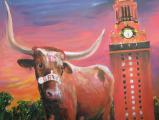
Here's a suggestion for your avatar:


or a zach randolph photo from when he played eddie winslow on family matters
Figured it out. Thanks a lot for the help.

There are currently 1 users browsing this thread. (0 members and 1 guests)
 Posting Permissions

