


 Reply With Quote
Boutons - here are two pics. One without my gamma correction and one with - do they look the same on your monitor?



Thank you! I couldn't remember which movie it was but you're correct, it's on the Matrix soundtrack.
Boutons - here are two pics. One without my gamma correction and one with - do they look the same on your monitor?
yes, they look slightly different, but the lower one still has a pink cast. Where do you go "gamma correction" in PSP? it's not called "monitor gamma correction"?
here's my correction, starting with your upper one:


Photobucket is god.
That is all.

Great stuff,
relly love your commentries/summaries, the photos are great too.
Hmmm, so umm attend more spurs games... cause I want some more reports :P
Nah seriously awesome stuff.
No, it's not called monitor gamma correction (Colors<Adjust<Gamma Correction) and the way that I have the second one is my preference, I like how that one looks and since they're my pictures I can make them look like that. I'm sorry my pics aren't up to your standards and thank you so much for "correcting" them.
xcoriate - I write game reports for all the games I go to but since I live in California, that's not many. My next report will be on February 3rd against the Lakers. To see the rest of my reports check out: http://www.mistilynn.com/games.htm
Thanks!
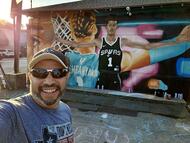
Can I go with you the next time you come to town?
In PSP9 and I think earlier, they've removed "Gamma correction" completely, as way to modify an image, to "File:Preferences:Monitor Gamma", which has no effect on an image, but only how PSP biases its RGB display values for PSP displaying an image within PSP only. In PSP9, they added "remove color bias" and "automatic color balance" where you can change color temperature between hot/orange to cool/blue.
On the FT image, I also used PSP9 "Enhance photo:clarify" which seems to be a combination of increasing the contrast while lightening the dark areas, and darkening the bright areas, so illumination is more uniform, because cameras have much less dynamic range than our eyes, under-exposing dark areas and over-exposing bright areas. After clarify, the dark back seating rows are brighter, but still not as bright as the main area. Clarify is a pretty effective to way to improve nearly all images.
Sure, all corrections are artistic/subjective. There's no absolute standard. I try to get the colors as natural as possible, but that's what I "think" is natural, while upping the saturation a bit since more colorful is usually more pleasant. If you look on my photobucket site, you can see my albums of several Spurs games (thanks to timvp), and the inconsistencies from image to image. I find after a long correcting session of many photos, it's really hard to maintain consistency, complicated by the camera not being consistent. And then the next day, the images still look improvable. Trying to correct for indoor lighting from variety of different types of lights is damn near impossible.
btw, Tony's body language on the FT image seems indicative of Tony's sub-par game.
The pictures look fine! It's not like these are being professionally published!
Thanks for the pictures, Misti!

Is that sometype of polaroid camera?

Nice job, Misti!

Anal retentive gamma critcism aside, thank you for your report & pictures missmyzte!

MissMyzte you are by far the coolest Laker fan I know.......
Even though I know is stems from the following of your favorite player... Mr. Horry....
I wish I could interview Ginobili....in Spanish... now that would be cool...
There are currently 1 users browsing this thread. (0 members and 1 guests)
 Posting Permissions