Page 19 of 61 FirstFirst ... 915161718192021222329 ... LastLast
Results 451 to 475 of 1522
  1. #451
    🏆🏆🏆🏆🏆 ElNono's Avatar
    My Team
    San Antonio Spurs
    Join Date
    Apr 2007
    Post Count
    153,473
    Nice, I know the 250D does a great job cooling for a mini ITX case, but with only a single intake fan plugged in that's really impressive. I'm surprised your GPU fans are running at 1170 RPM at 28C though, I thought most Maxwell cards came standard with fans turned completely off below certain temperatures. Mine by default don't turn on until 60C, but I changed the fan profile to have them turn on at 45C and ramp up based on the temperature.
    I haven't tweaked any settings on it, and only has two windforce fans. It's about 75F ambient temperature here, so that's about the right temp.

  2. #452
    Veteran Wild Cobra's Avatar
    My Team
    Portland Trailblazers
    Join Date
    May 2007
    Post Count
    43,117
    It looks really nice. I do highly recommend an SSD these days, even if just for the system. Once you're used to SSD's speed, it's hard to go back to HDDs, tbh
    As you may remember, I work a job where I'm siting on my ass at work waiting for trouble calls to fix equipment. One of my coworkers has the dragon, with the SSD. I is so nice to see his boot.

    Don't blink!

    I didn't plan to buy this, initial. I bought a hotspot so could use my old laptop at work. The hotspot doesn't downgrade in security for it. I decided then, as the computer was becoming less useful in other ways t replace it. I didn't even plan, or need such a sweet computer when I bought it. My minimum standard was the full HD screen. I gravitated toward the higher end, because this older laptop I have is still mostly usable. It was $1,300 new, over a decade ago.

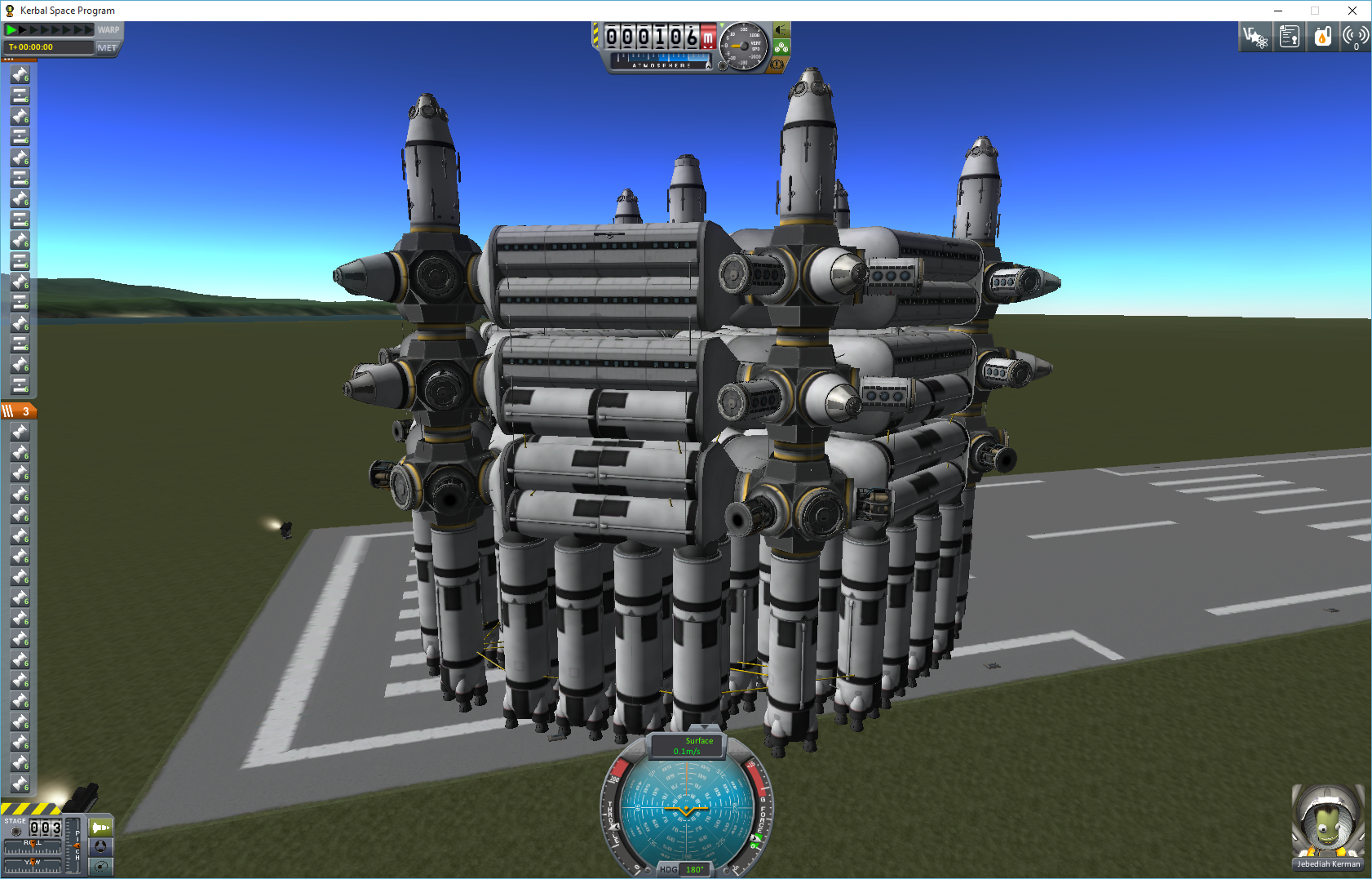
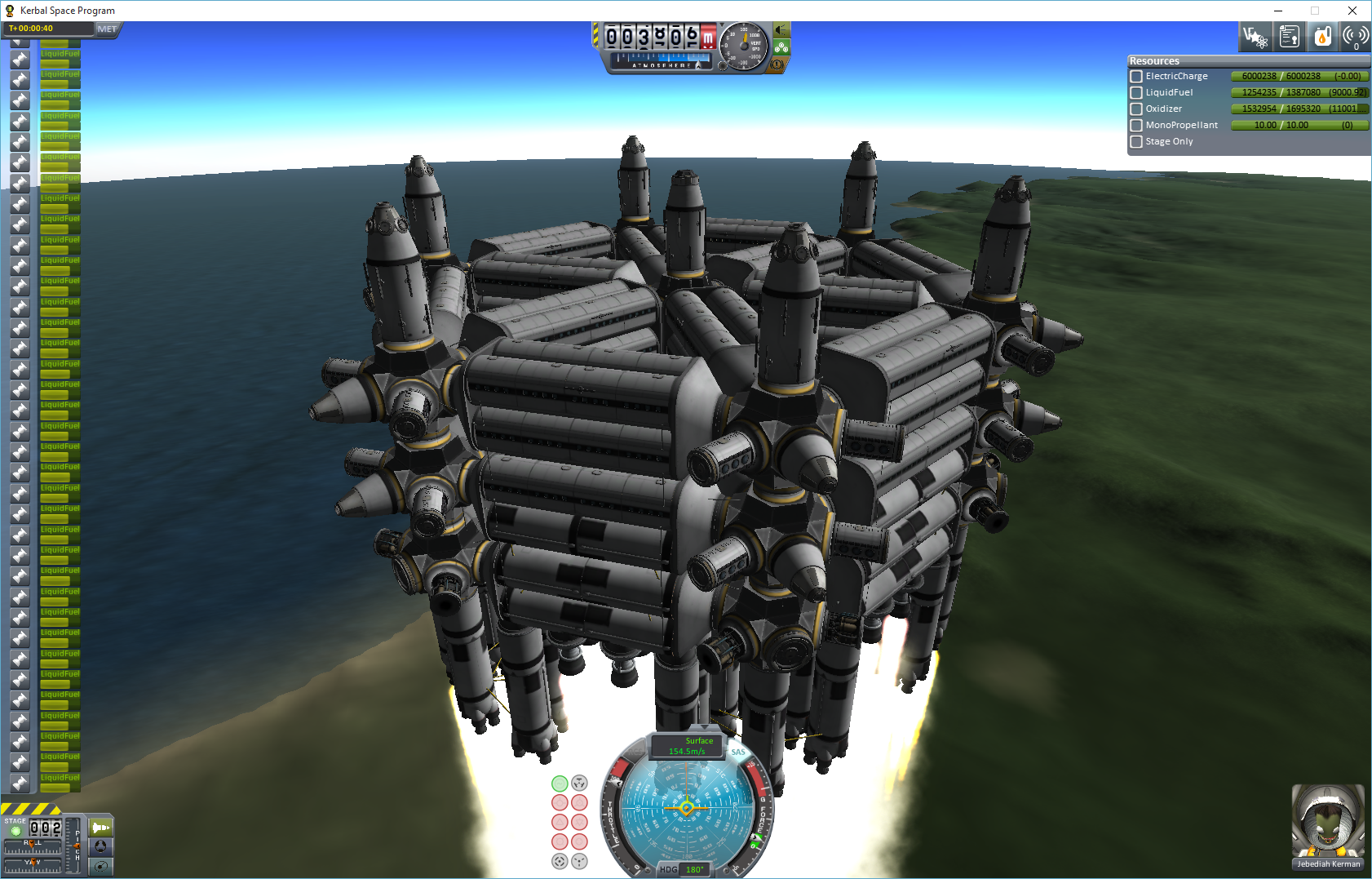
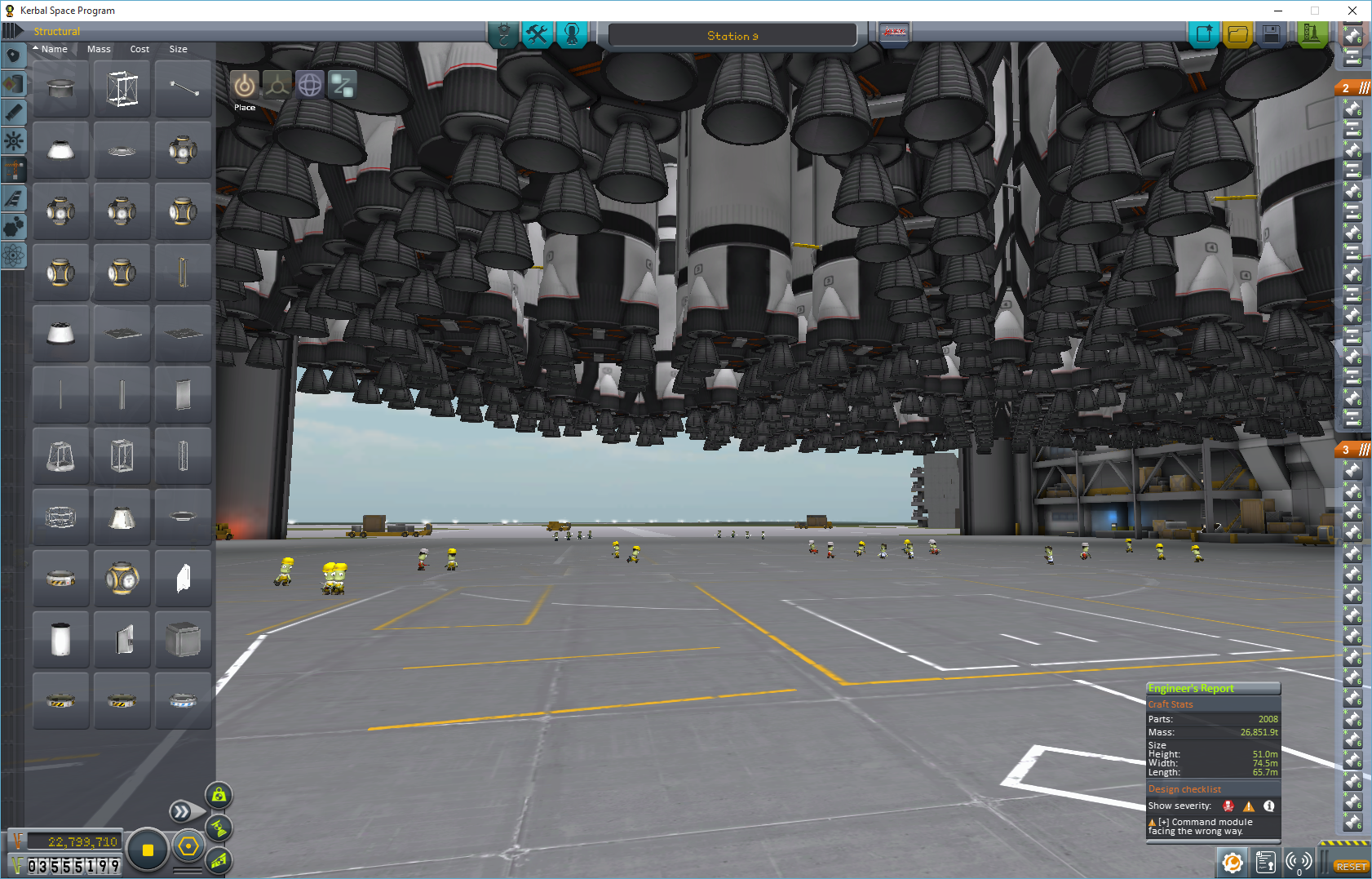
    Since then, I found "Kerbal Space Program." The game becomes very CPU intensive if you build rockets, stations, etc with over 500 parts. Mine starts to get unmanageable at about 2,200 parts, and crashes sometimes. I think is the memory mostly... running out if it. I know I should check the resources, but I'm just using it as an excuse to put an 8 gig module in the empty memory slot. Anyway, if I knew I would buy and like this game as much as I do, I would have paid the nearly $2k for the MSI Dragon.

    The CPU in my new tower is a little faster yet, but it only has the 720 Graphics card. I have contemplated buying a very fast GPU card and putting that 720 in my XP Lenovo computer. It will actually fit in the mini desktop case.

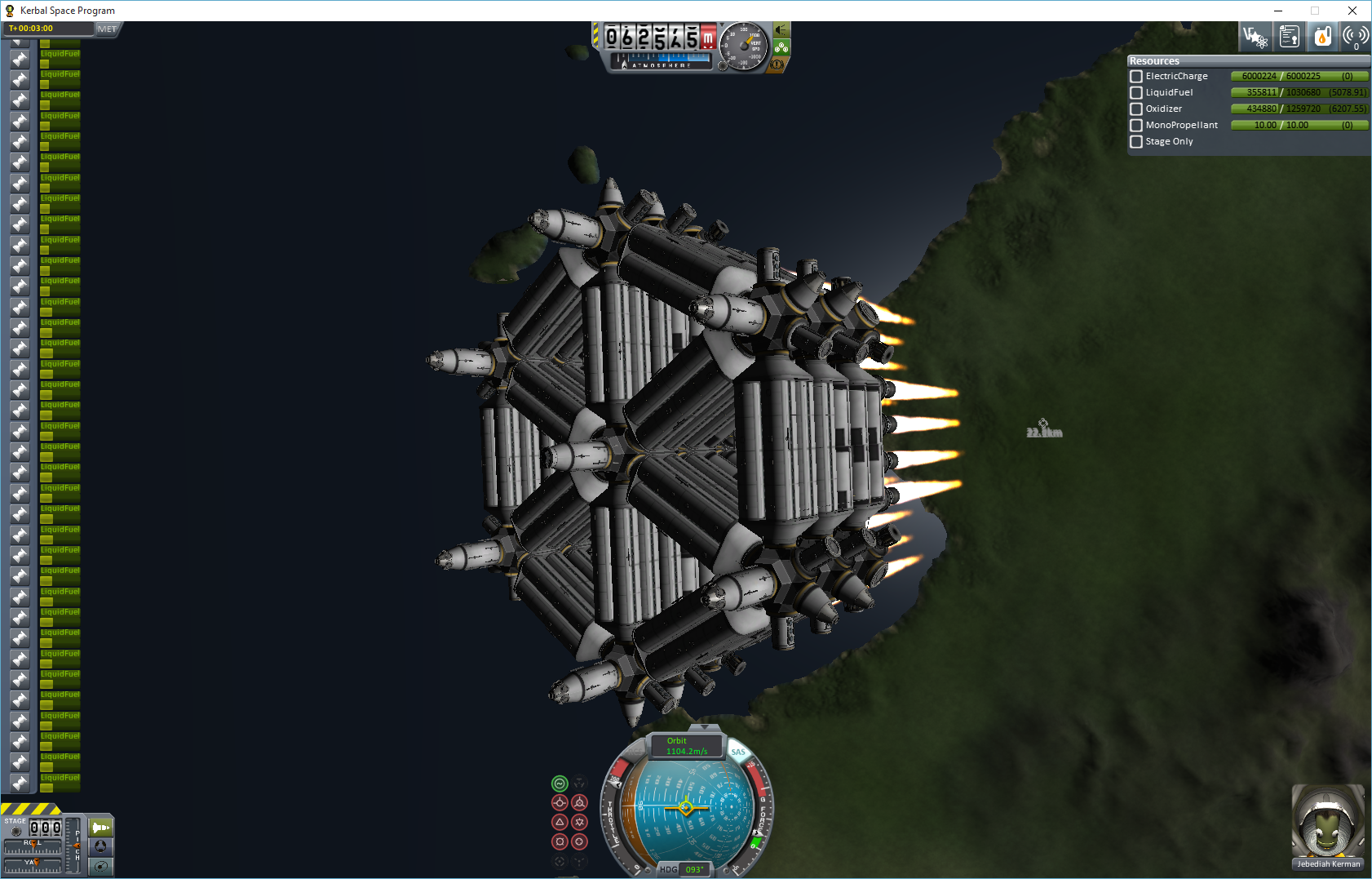
    Most people's computer will not handle building and launching this:


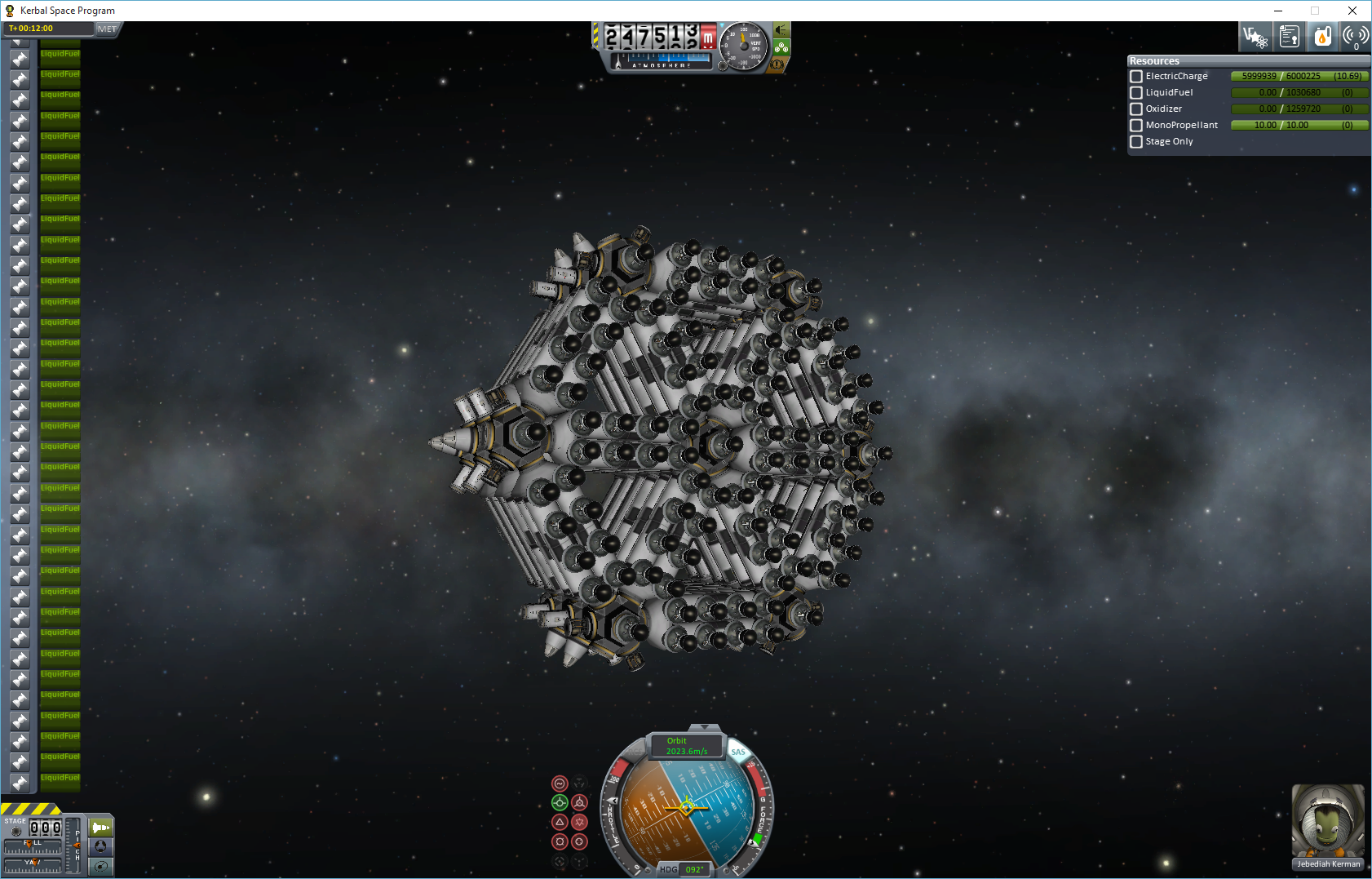
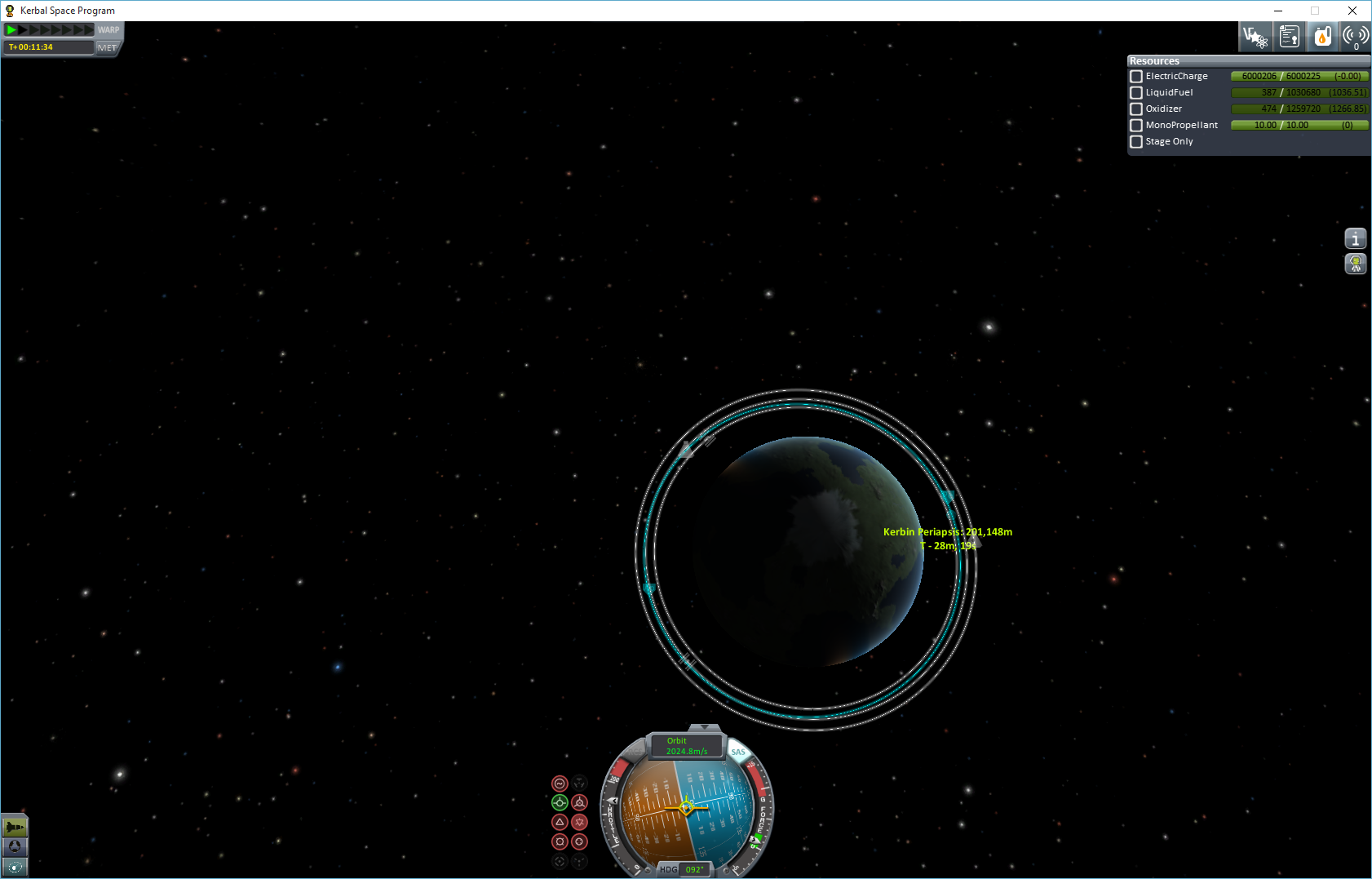
    In orbit, ready for refueling and off to another planet:


    I made a stable orbit with so little fuel remaining. I used the last of it to clean up the orbit a little.
    Last edited by Wild Cobra; 09-26-2015 at 07:31 PM.

  3. #453
    🏆🏆🏆🏆🏆 ElNono's Avatar
    My Team
    San Antonio Spurs
    Join Date
    Apr 2007
    Post Count
    153,473
    that's a lot of rockets...

    I ended up installing Win 8 UEFI, and upgraded all the way to 10... UEFI seems to boot even faster, tbh

  4. #454
    Veteran Wild Cobra's Avatar
    My Team
    Portland Trailblazers
    Join Date
    May 2007
    Post Count
    43,117
    I'd imagine the 4720HQ is significantly faster in workstation use, as the Passmark score is about 1000 points higher. But yeah, for gaming the 4590 should be quite a bit better thanks to being able to run at 3.5 GHz on all cores at load without throttling while the 4720HQ's max is 3.6 GHz on single and dual core loads. I'd imagine the full quadcore load turbo clock is a lot closer to the 2.6 GHz base clock so it can hit that 47W power target.
    How many applications use more than two cores?

  5. #455
    俺はまんこが大好きなんだよ baseline bum's Avatar
    My Team
    San Antonio Spurs
    Join Date
    Mar 2003
    Post Count
    97,881
    How many applications use more than two cores?
    If you're compressing video for instance, that should make great use of all 8 virtual cores of an i7. For gaming most stuff is optimized for 4 cores though. I'm not sure about Kerbal Space Program, that game looks amazing but I still haven't tried it yet (I'm going through the Fallout games before the new one releases in a couple of months).

  6. #456
    Veteran Wild Cobra's Avatar
    My Team
    Portland Trailblazers
    Join Date
    May 2007
    Post Count
    43,117
    that's a lot of rockets...

    I ended up installing Win 8 UEFI, and upgraded all the way to 10... UEFI seems to boot even faster, tbh
    This came with 8.1. Knew I would hate it... Hated it... Installed 10 as soon as it came out.

    Saw your hardware monitor.

    When I load the game and launch my newest "monster," my memory usage jumps from under 2 GB to almost 6 GB. The hard drive is twice as busy, looks like it's doing a virtual memory of about 3 GB for the game. The CPU or GPU aren't even breaking a sweat. I think if I add memory, it will make a huge difference.

    Well, off to Fry's in a half hour...

    Bye for now.

  7. #457
    Veteran Wild Cobra's Avatar
    My Team
    Portland Trailblazers
    Join Date
    May 2007
    Post Count
    43,117
    If you're compressing video for instance, that should make great use of all 8 virtual cores of an i7. For gaming most stuff is optimized for 4 cores though. I'm not sure about Kerbal Space Program, that game looks amazing but I still haven't tried it yet (I'm going through the Fallout games before the new one releases in a couple of months).
    Oh...

    This laptop is absolutely sweet processing Netflix! No funky video articulations like my bluray players have.

  8. #458
    🏆🏆🏆🏆🏆 ElNono's Avatar
    My Team
    San Antonio Spurs
    Join Date
    Apr 2007
    Post Count
    153,473
    This came with 8.1. Knew I would hate it... Hated it... Installed 10 as soon as it came out.

    Saw your hardware monitor.

    When I load the game and launch my newest "monster," my memory usage jumps from under 2 GB to almost 6 GB. The hard drive is twice as busy, looks like it's doing a virtual memory of about 3 GB for the game. The CPU or GPU aren't even breaking a sweat. I think if I add memory, it will make a huge difference.

    Well, off to Fry's in a half hour...

    Bye for now.
    If it's swapping out to disk, sure, 16GB will do it nicely

  9. #459
    🏆🏆🏆🏆🏆 ElNono's Avatar
    My Team
    San Antonio Spurs
    Join Date
    Apr 2007
    Post Count
    153,473
    Man, 2K16 looks AMAZING on this PC... I have the 360 version also that I've been playing, and it's missing a ton of ...

    Also the max temps after playing the game: CPU 61C, GPU 65C... that's not bad...

  10. #460
    俺はまんこが大好きなんだよ baseline bum's Avatar
    My Team
    San Antonio Spurs
    Join Date
    Mar 2003
    Post Count
    97,881
    Man, 2K16 looks AMAZING on this PC... I have the 360 version also that I've been playing, and it's missing a ton of ...

    Also the max temps after playing the game: CPU 61C, GPU 65C... that's not bad...
    Does 2k16 even stress a modern GPU? I know the recommended GPU is a 750 Ti and on 2k15 I had to put 8xMSAA and downsample from 1440p to get the GPU usage reasonably high on my 970 when running at 60 fps.

  11. #461
    俺はまんこが大好きなんだよ baseline bum's Avatar
    My Team
    San Antonio Spurs
    Join Date
    Mar 2003
    Post Count
    97,881
    ElNono man, do you feel 2k16 is much of an upgrade over 2k15? I wasn't that impressed with 2k15 and how long it took to get into an offense. I couldn't execute The Beautiful Game on it, even after Parker got hurt.

  12. #462
    🏆🏆🏆🏆🏆 ElNono's Avatar
    My Team
    San Antonio Spurs
    Join Date
    Apr 2007
    Post Count
    153,473
    I kinda like it, tbh... but I liked 2k15 in general... that said, I don't run plays as much...

    Coming from the 360, game just looks amazing... love that broadcast camera...

    Now, the 360 version does feel a lot more like 2k15 (you could do steals under Pro with your PG almost every other possession), but this one doesn't let you get away with that...

  13. #463
    🏆🏆🏆🏆🏆 ElNono's Avatar
    My Team
    San Antonio Spurs
    Join Date
    Apr 2007
    Post Count
    153,473
    Just found the video settings

    Turns out I'm playing in all High, except hair and 4xMSAA...

    At one point the camera was shaking like crazy while shooting freebies, and I thought it might be stuttering, but no, it's an option in the game (which I promptly turned off)...

  14. #464
    Veteran Wild Cobra's Avatar
    My Team
    Portland Trailblazers
    Join Date
    May 2007
    Post Count
    43,117
    If it's swapping out to disk, sure, 16GB will do it nicely
    Thanx.

    I just got home from Fry's, well sort of.

    I had a small indiscretionary adventure...

    On my way back, I stopped at the Spearmint Rhino. My plan was to have just one drink on my way home, but I met a girl that really caught my attention.

    Anyway, I'm not going to put the memory in until after I sleep.
    Last edited by Wild Cobra; 09-27-2015 at 04:48 PM.

  15. #465
    Veteran Wild Cobra's Avatar
    My Team
    Portland Trailblazers
    Join Date
    May 2007
    Post Count
    43,117
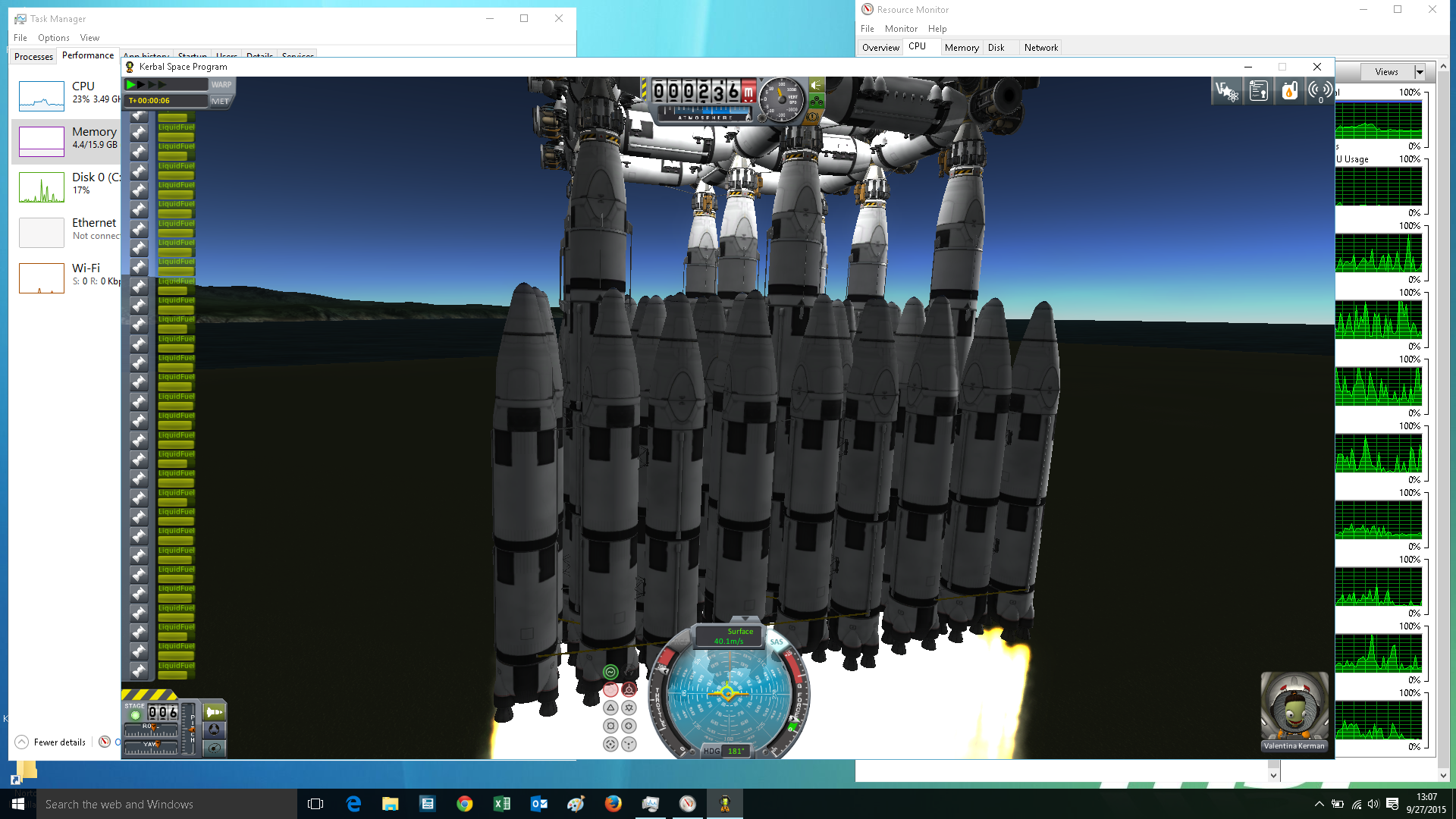
    The extra 8GB is installed, only a slight increase in performance and I disabled the virtual memory too. Since these changes made no big difference, I set the graphics back to maximum quality. Still not decrease.

    I wonder, could I be hitting a wall at the bridge between the CPU and memory?

    Anyway, during launch in a 1600 x 900 window:


  16. #466
    🏆🏆🏆🏆🏆 ElNono's Avatar
    My Team
    San Antonio Spurs
    Join Date
    Apr 2007
    Post Count
    153,473
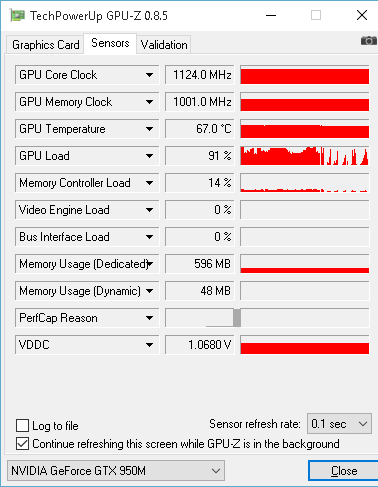
    you should get a gpu load monitor and see if it's the GPU bottlenecking... the rest looks like it's not that stressed, tbh

    something like this:
    https://www.techpowerup.com/gpuz/

  17. #467
    俺はまんこが大好きなんだよ baseline bum's Avatar
    My Team
    San Antonio Spurs
    Join Date
    Mar 2003
    Post Count
    97,881
    I like MSI Afterburner myself for measuring stuff like GPU load. It comes with Riva Tuner Stats Server. From MSI Afterburner click the Settings button (it looks like a small gear in the bottom left), click the Monitoring tab, and then you can set all kind of stats from GPU usage, GPU temperature, CPU usage on each core, RAM used, video memory used, fan speeds, etc. Click onto the OnScreen Display tab to set what button you want to use to toggle the stats server display on/off. Here is what the OSD looks like:


    It's a great tool I always use when I first get a new game to decide what graphics and physics settings I want to run to get the best possible image quality while also getting a locked 60 frames per second. Also what overclock I want to put on my GPU.

  18. #468
    Veteran Wild Cobra's Avatar
    My Team
    Portland Trailblazers
    Join Date
    May 2007
    Post Count
    43,117
    you should get a gpu load monitor and see if it's the GPU bottlenecking... the rest looks like it's not that stressed, tbh

    something like this:
    https://www.techpowerup.com/gpuz/
    When I load up the GPU monitor I have, it is normally between 20% to 50% with occasional es to the 99%.

  19. #469
    俺はまんこが大好きなんだよ baseline bum's Avatar
    My Team
    San Antonio Spurs
    Join Date
    Mar 2003
    Post Count
    97,881
    When I load up the GPU monitor I have, it is normally between 20% to 50% with occasional es to the 99%.
    I think that's to be expected in KSP. It doesn't look at all graphically demanding but looks to be incredibly CPU demanding. Too bad they don't use Nvidia PhysX to allow your graphics card to do the physics calculations and let the CPU just deal with game logic, but I guess that would be screwing over people who bought AMD cards. With a AAA game like Witcher 3 which is really intense graphically you'd have your GPU at 99% the whole time with a CPU as powerful as the one you have. Well, unless you bought a super powerful GPU like a GTX 980 Ti or something.

  20. #470
    Veteran Wild Cobra's Avatar
    My Team
    Portland Trailblazers
    Join Date
    May 2007
    Post Count
    43,117
    The 4600 is maintaining about 10%, the 950M around 72% CPU load, when in the hanger screen with no ship. Now I have Firefox and two instances of the monitor too, but I suspect these are insignificant. The memory controller load of the 950M is 54 to 55%, and 515 MB.

    Funny, ship loaded in hanger, 950M now peaks at 58% lead, 30% memory controller load, 551 MB. 4600 down to 4% lead. I will assume it's because the animated background elements are no longer in play, and assume the 4600 isn't doing much, if anything.

    Ship on runway, ready to launch, idle, GPU ing between 2% and 40%, memory controller ing up to 9%, 573 MB.

    Launching...

    GPU load all over the place, but the biggest e I see is ... 99%. Seldom gets there. Mostly peaking under 80%. Memory usage went only to 595 MB, and the controller load peaking under 20%.


    I don't think it's a GPU issue. Rendering setting and screen size made no difference in performance. I think I have a data bottleneck someplace.
    Last edited by Wild Cobra; 09-27-2015 at 08:25 PM.

  21. #471
    Veteran Wild Cobra's Avatar
    My Team
    Portland Trailblazers
    Join Date
    May 2007
    Post Count
    43,117
    I think that's to be expected in KSP. It doesn't look at all graphically demanding but looks to be incredibly CPU demanding. Too bad they don't use Nvidia PhysX to allow your graphics card to do the physics calculations and let the CPU just deal with game logic, but I guess that would be screwing over people who bought AMD cards. With a AAA game like Witcher 3 which is really intense graphically you'd have your GPU at 99% the whole time with a CPU as powerful as the one you have. Well, unless you bought a super powerful GPU like a GTX 980 Ti or something.
    Yep, I think it's all in the game coding. It uses too many text files. I don't know if PhysX has anything to do with it or not. Never learned this stuff.

    My tower only has the GT 720 in it, and doesn't seem to be any slower for the game. It has a slightly faster processor, the i7-4790 at 3.6 ghz. Only running 8 GB on it to. I think I'll put more ram in it, and disable virtual memory. See if it behaves any better.

    I looked at it yesterday before going to Fry's and was going to upgrade it to 32GB since it has four slots. Well, the salesman told me it might only go 16 GB if it wasn't Win 7 professional. Forgot if I had home or profession it. Did a little research, and it will go 32 GB.
    Last edited by Wild Cobra; 09-27-2015 at 08:05 PM.

  22. #472
    🏆🏆🏆🏆🏆 ElNono's Avatar
    My Team
    San Antonio Spurs
    Join Date
    Apr 2007
    Post Count
    153,473
    Your CPU load on the other screens doesn't look that bad. Memory seems not to really go over 4GB, so adding more RAM isn't going to change that.

    It's entirely possible that the game engine just isn't coded to push hardware to the limit. That's pretty common when you're not using a commercial engine like Unreal, etc.

    You might just need to bug the devs to optimize their code.

  23. #473
    Veteran Wild Cobra's Avatar
    My Team
    Portland Trailblazers
    Join Date
    May 2007
    Post Count
    43,117
    Your CPU load on the other screens doesn't look that bad. Memory seems not to really go over 4GB, so adding more RAM isn't going to change that.

    It's entirely possible that the game engine just isn't coded to push hardware to the limit. That's pretty common when you're not using a commercial engine like Unreal, etc.

    You might just need to bug the devs to optimize their code.
    LOL...

    I want more ram anyway so I can disable the virtual memory, and still do several tasks.

    Fry's has 32 GB of Viper 3 1600mhz for $224.99. I remember when it would have cost $795 to max out my Amiga with 16 MB.

  24. #474
    俺はまんこが大好きなんだよ baseline bum's Avatar
    My Team
    San Antonio Spurs
    Join Date
    Mar 2003
    Post Count
    97,881
    LOL...

    I want more ram anyway so I can disable the virtual memory, and still do several tasks.

    Fry's has 32 GB of Viper 3 1600mhz for $224.99. I remember when it would have cost $795 to max out my Amiga with 16 MB.
    $225 is actually a pretty terrible price for a 32GB DDR3-1600 kit. Here's a good one for $145. RAM prices have fallen a lot in the last 12 months.

    http://www.newegg.com/Product/Produc...82E16820231490

  25. #475
    🏆🏆🏆🏆🏆 ElNono's Avatar
    My Team
    San Antonio Spurs
    Join Date
    Apr 2007
    Post Count
    153,473
    Disabling VM is not a good idea on modern OS'es. If anything, you want to have a faster drive, let me explain why.

    Modern OSes will use up all the RAM you put at their disposal. That's because they use any unused RAM as disk cache. But it will release it to apps as soon as is needed.

    Furthermore, OSes in this day and age suspend and swap out processes that are hidden and are not doing compute or server tasks. This is a good thing. It gives active apps have more RAM and compute cycles. Once all active processes do eat up all RAM, then you'll inevitably hit paging, and things will slow down (including the fact there's not enough RAM for a disk cache, which really makes paging slow).

    Now imagine if there's no VM available. Processes can be suspended, but they must remain in memory. That means more memory fragmentation and potentially less RAM available to all processes, including the front most process.

    I say "imagine", because you really can't turn off Virtual Memory on Windows. What you're allowed to control (whether you have a pagefile or not, and what size is it) is only for "private commited" memory, one "kind" of memory, but will likely cause other type of memory (ie: mapped memory) to swap out more often. That's why, if you're really short on memory and you suspect you'll page out, a faster drive makes more sense.

    Here's a good writeup about the misconceptions of Virtual Memory on Windows:
    http://azius.com/blog/pagefile-yes1/

Thread Information

Users Browsing this Thread

There are currently 1 users browsing this thread. (0 members and 1 guests)

Posting Permissions

  • You may not post new threads
  • You may not post replies
  • You may not post attachments
  • You may not edit your posts
  •