Results 1 to 17 of 17
  1. #1
    Old fogey Bender's Avatar
    My Team
    San Antonio Spurs
    Join Date
    Sep 2008
    Post Count
    3,593
    I want one. Right now I'm using what is on the mobo.

    Code:
    Realtek AC97 Audio v0.0  Wave Input
    I'm just getting into recording some of my LP collection to my hard drive. I got one of those DAK things. So far I like it.

    anyway, you plug your turntable into this thing (it has an riaa pre-amp), then this thing into your computer audio input. I have recorded a couple of LPs so far.

    I was wondering if a good, separate sound card would make a diff in the resulting recorded music. What sound cards are the best bang for the buck?

    The DAK system comes with the recording s/w, including track splitting, as well as post-processing s/w too.

    would a separate sound card make better recordings?

  2. #2
    No darkness Cry Havoc's Avatar
    My Team
    San Antonio Spurs
    Join Date
    Jan 2007
    Post Count
    33,167
    Sound cards are fickle things. I would say that soundcards under $100 are all not going to be noticeably different in sound quality. Nearly all the Soundblaster cards are the same when it boils down to the main components -- and for hi-fidelity audio, they're decent at best (crappy at worst).

    Make sure the sound card has a DAC (is this what you meant by DAK?).

    I'd recommend the Auzen Prelude. It's gotten awesome reviews from the folks over at head-fi, and those guys know more about audio than a lot of people in the audio industry. I think you can find them for $150-200.

  3. #3
    Old fogey Bender's Avatar
    My Team
    San Antonio Spurs
    Join Date
    Sep 2008
    Post Count
    3,593
    DAK is a company.

    DAK

    I was just basically wondering if a separate SC, such as a S-B Audigy, or X-Fi, or whatever would make any diff in the sound that is recorded.

    The DAK pre-amp thingie accepts the right & left audio cables from my turntable. the the DAK thing plugs into your sound input on your computer with a normal mini-plug. you then open up the DAK recording s/w (which uses the windows audio input recording. Was wondering if a separate sc would make a diff in the resulting sound.

  4. #4
    Believe. Susan Boyle's Avatar
    My Team
    Orlando Magic
    Join Date
    Jun 2009
    Post Count
    154
    Your sound card is ok it has to do with the type of file or the condition of the LP all you need is a good EQ or sound manipulation software and your sound card will perform better. Make sure you download the latest updates.

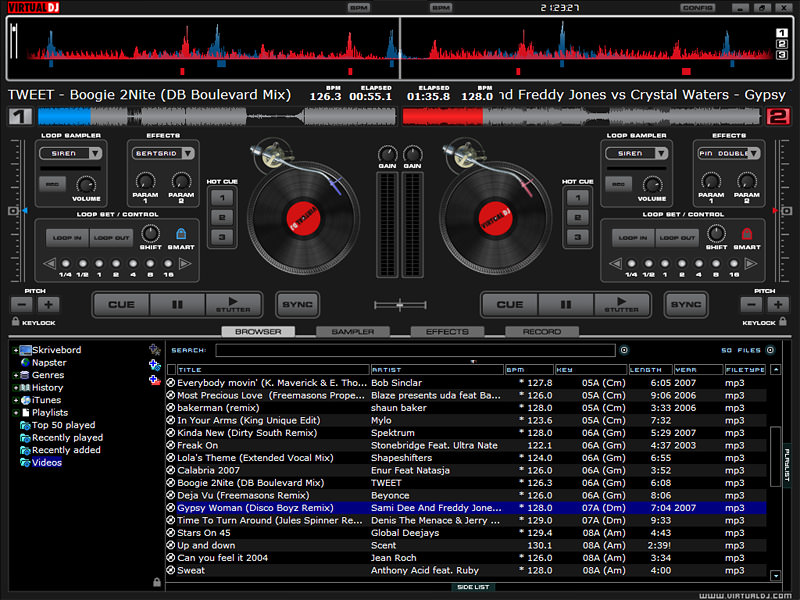
    here is a cool toy to make music,


    free demo

    http://www.virtualdj.com/download/trial.html

    full version

    http://btjunkie.org/search?q=Virtual+DJ

  5. #5
    Out with the old... Obstructed_View's Avatar
    My Team
    San Antonio Spurs
    Join Date
    Apr 2005
    Post Count
    38,573
    I was wondering if a good, separate sound card would make a diff in the resulting recorded music.
    EDIT: I just realized the DAK thing above is all analog. Therefore it relies on the sound card to do the digitizing. So because of that, the quality of the converter in the sound card makes a difference, and the driver for the card does too. The name is misleading. I would figure something from a company called DAK would have a DAC.
    Last edited by Obstructed_View; 07-26-2009 at 09:27 PM.

  6. #6
    Old fogey Bender's Avatar
    My Team
    San Antonio Spurs
    Join Date
    Sep 2008
    Post Count
    3,593
    DAK is the owner's initials, Drew A. Kaplan. yeah, it's an analog gizmo that goes between the turntable and your computer. It has a slider for levels, but you are just supposed to leave that at a fairly low level (not bouncing up to the red, or higher), and it has a fader for Device A and Device B if you have it connected to two audio sources. I just use it with my TT.

    thanks O_V, so if I get a SC it will probably result in a better 'recording'. Based on what I have on the mobo (Realtek AC97 Audio), would an average SB card be better, or would I need a higher end card to notice an improvement?

    I have usually just used whatever built-in sound the mobos have that I bought in the past. I have never recorded from the audio input like I am now.

  7. #7
    You down wit' O.C.D.? Borosai's Avatar
    My Team
    San Antonio Spurs
    Join Date
    Feb 2006
    Post Count
    4,310
    I have an M-AUDIO Audiophile 2496, which I bought in 2002 (I think). It's a very nice card for about $100. I doubt the sound quality or latency will be a problem for you, but the connections might be. I've used it as my main card since I bought it, on two different computers, for everything from simply listening to music to messing around in FL Studio, Nuendo and Sonar, and it's a great inexpensive card. Take a look at the product page to make sure it will fit your needs, but as far as a safe recommendation, this is one.

  8. #8
    If you can't slam with the best then jam with the rest sabar's Avatar
    My Team
    San Antonio Spurs
    Join Date
    May 2006
    Post Count
    2,628
    Most onboard sound nowadays is on par with your mid range sound card.

    I'll just quote wiki for some things

    AC'97 supports 96,000 samples/second in 20-bit stereo resolution and 48,000 samples/second in 20-bit stereo for multichannel recording and playback.
    This has been replaced by Azalia circa a few years back

    Intel High Definition Audio (also called HD Audio or Azalia) refers to the specification released by Intel in 2004[1] for delivering high-definition audio that is capable of playing back more channels at higher quality than previous integrated audio codecs like AC97. During development it had the codename Azalia.
    Hardware based on Intel HD Audio specifications is capable of delivering 192-kHz 32-bit quality for two channels, and 96-kHz 32-bit for up to eight channels. However, as of 2008[update], most audio hardware manufacturers do not implement the full high-end specification, especially 32-bit sampling resolution.
    Compare the sampling resolution to whatever cards are on the market to see if they would be any better.

  9. #9
    Old fogey Bender's Avatar
    My Team
    San Antonio Spurs
    Join Date
    Sep 2008
    Post Count
    3,593
    thanks! yeah, my mobo is over 5 years old. Its' a home-built machine. No PCI Express slots.

    I'll check out the sound cards.

  10. #10
    Orange Whip? Orange Whip? Viva Las Espuelas's Avatar
    My Team
    San Antonio Spurs
    Join Date
    Nov 2005
    Post Count
    19,497
    why not get a usb record player. i've read that they're decent. not too expensive.

  11. #11
    Old fogey Bender's Avatar
    My Team
    San Antonio Spurs
    Join Date
    Sep 2008
    Post Count
    3,593
    I did look at those usb turntables. However, right before that I had just bought an Audio-Technica PL-120 turntable, specifically for recording my albums to CD or computer. It has a built-in riaa pre-amp that you can turn on, for if you want to connect it directly to your audio input of your computer.

    So far, I have the internal pre-amp set to off, and I have been using the turntable, along with my old Pioneer receiver, and a Sony CD recording deck to record my LPs directly to CD. Then I take the CDs, and rip them to my hard drive, and do any fade-ins, fade-outs, or track breaking as necessary.

    However, I wanted to go directly from my TT to my computer, so I got that DAK thing. Also the DAK comes with a bunch of pretty neat s/w (wave editors, track breaking, etc etc). Also has pop & click reduction, and other sound processing functions.

    All I need for my old machine now is a new sound card, and a better video card (can't do any gaming at all now). Gonna get the Radeon 3850 video card (PCI) as previously recommended by Cry Havoc. Amazon just lowered the price of it by $17.

  12. #12
    Double facepalm...
    My Team
    Detroit Pistons
    Join Date
    May 2006
    Post Count
    2,842
    3850 is ok, but I think you might want to consider something in the 4850 range

  13. #13
    Old fogey Bender's Avatar
    My Team
    San Antonio Spurs
    Join Date
    Sep 2008
    Post Count
    3,593
    my mobo is kinda old, PCI only, no PCI-express

  14. #14
    Old fogey Bender's Avatar
    My Team
    San Antonio Spurs
    Join Date
    Sep 2008
    Post Count
    3,593
    I'm looking at the M-audio Audiophile 2496 card. What does this mean?
    * SCMS copy protection control

  15. #15
    You down wit' O.C.D.? Borosai's Avatar
    My Team
    San Antonio Spurs
    Join Date
    Feb 2006
    Post Count
    4,310
    SCMS [wikipedia.org].

    This is from the manual:
    Consumer Format Advanced Settings (Copy Mode): Copy protection, also known as Serial Copy Management System (SCMS), is written into the S/PDIF status block, a reserved part of the S/PDIF digital stream that is independent of the actual audio data being transmitted. It can be used to inhibit the amount of copies that can be made, or allow for unlimited copying. Three SCMS modes are available. “Original (Copy Permitted)” indicates that the source material may be copied by a receiving device. “1st Generation” indicates that the source material is a first generation or later copy. Most devices that are capable of recording will reject material with this SCMS mode set. The final option is “No SCMS” which may be used to override the other two modes and allow a recording device to successfully record the audio data. Different manufacturers’ products may interpret these codes differently and require you to set these bits by “trial-and-error” until proper operation is achieved.

    So basically, SCMS is a copy protection scheme included in certain digital devices. Apparently the SCMS copy protection control in the card allows you to control this behavior, including the option to override it (which is good).

    This is what my control panel looks like, with default settings:

  16. #16
    The Money Team DMX7's Avatar
    My Team
    San Antonio Spurs
    Join Date
    Jun 2008
    Post Count
    19,119
    I run with the Auzentech X-Fi Prelude... It's sick.

  17. #17
    Old fogey Bender's Avatar
    My Team
    San Antonio Spurs
    Join Date
    Sep 2008
    Post Count
    3,593
    So basically, SCMS is a copy protection scheme included in certain digital devices. Apparently the SCMS copy protection control in the card allows you to control this behavior, including the option to override it (which is good).
    ok thanks. I didn't want something that would handcuff me.

    That Auzentech might be overkill for my purposes. I just have an mid-priced 2.1 speaker system, and I just want to record my stereo LPs.

    This might be a dumb question: based on my readings about sound cards, it sounds like 5.1 and 7.1 cards remix your music to surround sound. I just want my stereo albums left as they were originally, except digitized.

Thread Information

Users Browsing this Thread

There are currently 1 users browsing this thread. (0 members and 1 guests)

Posting Permissions

  • You may not post new threads
  • You may not post replies
  • You may not post attachments
  • You may not edit your posts
  •